Close the Campaign-to-Revenue Handoff Without Losing the Evidence
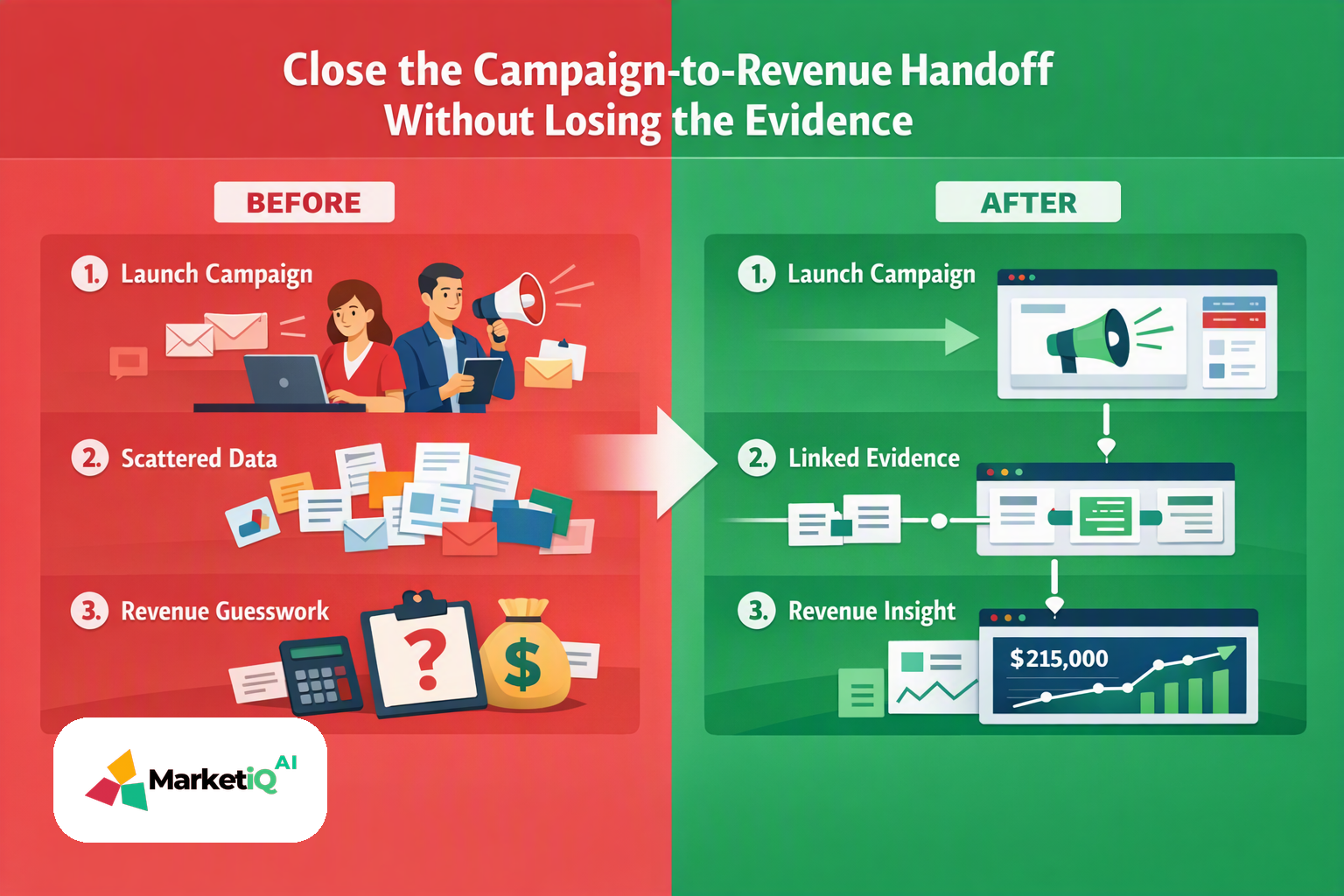
Your dashboard can show campaign activity—and still fail to prove revenue.
To understand how to connect CRM campaign data to revenue reporting, you need more than a campaign field and a dashboard. You need a traceable chain from market signal to campaign decision, approved activation, provider response, opportunity association and revenue evidence.
When that chain breaks, reporting stops at the CRM activity record. You can see that an email, post or campaign action occurred. You cannot reliably show which opportunity it influenced, which revenue field supports the result, or whether the provider actually accepted the action.
MarketiQ AI is built around this handoff. Its governed workflow connects research, planning, creation, approval-gated activation, delivery reconciliation and learning in one operating loop.
The failure pattern: activity is recorded, revenue is not reconciled
A common reporting chain looks like this:
- A team launches a campaign.
- A CRM campaign record receives activity.
- A contact or account is associated with that activity.
- An opportunity is created later.
- Revenue reporting treats the relationship as obvious.
The missing detail is the evidence between those points.
Was the campaign based on a cited research signal? Was the asset approved before publishing? Did the connected provider accept the submission? Was the opportunity association explicit? Is the revenue number sourced from the CRM, or modeled from an attribution rule?
Without those answers, a dashboard may present a clean narrative while hiding uncertain handoffs.
Build the campaign-to-revenue operating loop
The practical outcome is a reporting chain where every important transition can be inspected. Configure it in this order.
1. Assign a durable campaign ID
Create one campaign ID before producing or publishing campaign assets. Use that ID in the campaign record, asset metadata, provider submission, delivery receipt and opportunity association.
Do not create a new identifier for every channel unless your reporting model explicitly maps those identifiers back to the parent campaign. A parent campaign ID and channel-level IDs make the relationship visible without flattening the campaign structure.
In MarketiQ AI, the campaign plan should carry the originating research context and the decision it supports. The ID becomes the reference point for later reconciliation.
2. Define the lifecycle stages you will report
Write the stages down before building a dashboard. A usable sequence might include:
- Research signal captured
- Campaign decision approved
- Asset created and approved
- Provider submission sent
- Delivery accepted, uncertain or failed
- Contact, account or lead associated
- Opportunity created or updated
- Revenue field recorded
- Learning decision issued
Use the same stage names across workflow records and CRM reporting where possible. If a CRM uses different lifecycle terminology, document the mapping instead of relying on implied meaning.
3. Connect campaign activity to the correct record
Associate the campaign ID with the relevant contact, account or lead record. Then define how that record can be associated with an opportunity.
The association rule must be explicit. For example, decide whether the report requires a direct contact-to-opportunity relationship, an account relationship, or both. Record the association date and the campaign stage that preceded it.
This is where a connected provider matters. MarketiQ AI can route approved work through configured providers, then record the provider response as part of the workflow rather than treating submission as proof of delivery.
4. Separate revenue fields from attribution fields
Store the CRM revenue value in a clearly identified field, such as opportunity amount, closed-won amount or another approved revenue field in your system. Preserve the currency, opportunity status, close date and reporting period.
Keep attribution fields separate. A sourced revenue field answers, “What value is recorded on the opportunity?” A modeled attribution field answers, “How much value does a chosen attribution rule assign to this campaign?” Those are different claims.
Label modeled values as modeled. Include the rule, lookback window, weighting method and last calculation date. Never present a modeled allocation as observed CRM revenue.
5. Reconcile before reporting
Before a campaign appears in a revenue report, validate the handoffs:
- The campaign ID exists in the campaign record and workflow record.
- The asset shows an approval decision and reviewer state where approval was required.
- The provider response is recorded as accepted, uncertain or failed.
- The delivery receipt identifies what was submitted and when.
- The associated contact, account or opportunity is present.
- The revenue field comes from the approved CRM source.
- Any attribution amount is marked as modeled and linked to its rule.
MarketiQ AI’s approval gates belong before consequential activation. Its delivery receipts belong after provider submission. That separation prevents “approved,” “submitted” and “delivered” from becoming one ambiguous status.
A concrete MarketiQ campaign-to-revenue workflow
Start with a research signal tied to a defined audience, offer and problem. The research agent records the evidence and confidence behind the signal. Strategy turns it into a campaign decision with the campaign ID attached.
The Brand Brain supplies the content workflow with the approved audience, offer, voice and relevant prior context. Creation agents produce the campaign assets. A human reviewer checks the recommendation and asset at the configured approval gate.
After approval, the workflow submits the asset through the designated connected provider. The system records the provider response as a delivery receipt. If the provider accepts the submission, the campaign moves forward with that status. If the outcome is uncertain or failed, the workflow keeps that state visible for review rather than treating the action as complete.
The campaign ID is then associated with the relevant CRM records and opportunity. Revenue reporting uses the approved CRM revenue field as sourced evidence. If the team applies an attribution model, that output is reported separately.
The loop closes when reconciliation produces the next recommendation. The next decision might be to continue the campaign, revise the audience, change the asset, investigate a failed delivery or withhold a conclusion because the evidence is incomplete.
That is the operating model: evidence, decision, approved activation, delivery state, opportunity association, revenue evidence and learning.
Reporting cadence and traceability checklist
Use a cadence that matches the maturity of the data. Review delivery and association exceptions as activation occurs. Review opportunity and revenue fields on the reporting schedule your team already uses. Review modeled attribution only after the underlying records and rules have been validated.
At each review, answer five questions:
- Which campaign ID connects the activity to the opportunity?
- What evidence supported the campaign decision?
- What action was approved, and by whom or by which approval rule?
- What did the connected provider actually report back?
- Which revenue values are sourced, and which are modeled?
If any answer requires a spreadsheet search across disconnected tools, the handoff is still fragile.
Implementation takeaway
Do not begin with a revenue dashboard. Begin with the chain of custody for a campaign decision.
Assign the campaign ID. Define lifecycle stages. Map opportunity associations. Separate sourced CRM revenue from modeled attribution. Record approval states and delivery receipts. Then set the reporting cadence that checks whether each handoff is complete.
MarketiQ AI gives lean GTM teams a governed place to run that loop, from research and planning through approved activation, provider reconciliation and the next recommendation. Start with one workflow at mymarketiq.online/signup.
This article describes practices and observations; it is not a promise of rankings, deliverability or revenue. Verify cited sources and their dates before making decisions.
Related reading
- 1HubSpot Alternative for Lean B2B TeamsLinked from this article
- 2MarketiQ AI vs HubSpotLinked from this article
- 3From GTM Tool Stack to GTM Execution System: A Launch-Week PlaybookLinked from this article