Creative Studio: 200+ designer templates, picked per post.
The Creative Director reads each post, chooses the format that carries its point — a funnel, a front page, a decision tree, your real product on a laptop — and fills it only with what your copy and brand facts say. Every render is checked for legibility, contrast and your logo before anyone sees it.
- Creative Director
- Design Lead
- Composer
- Designer
- Vera
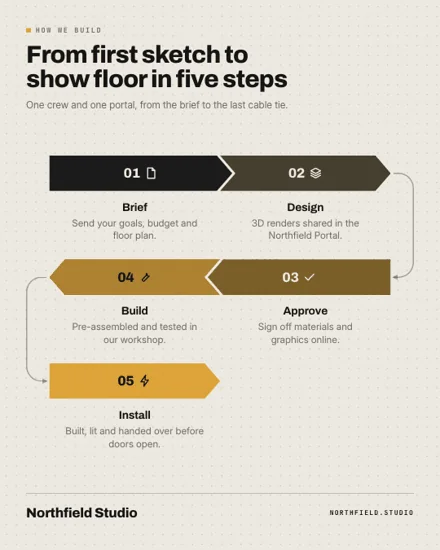 Process flow Infographics
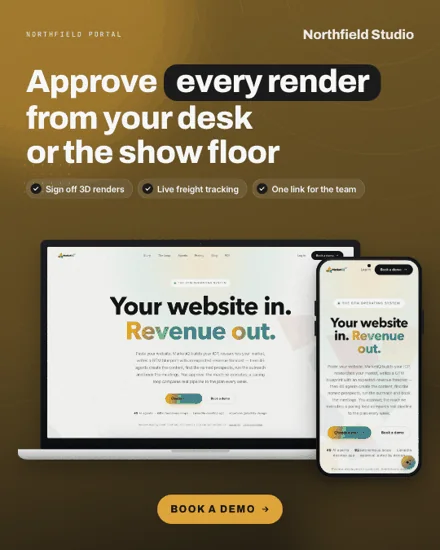 Laptop + phone Device mockups
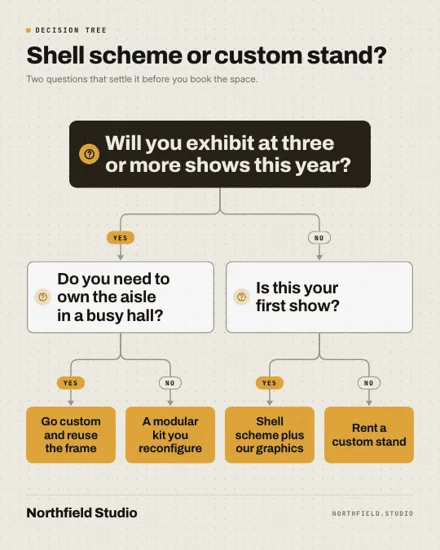 Decision tree Infographics
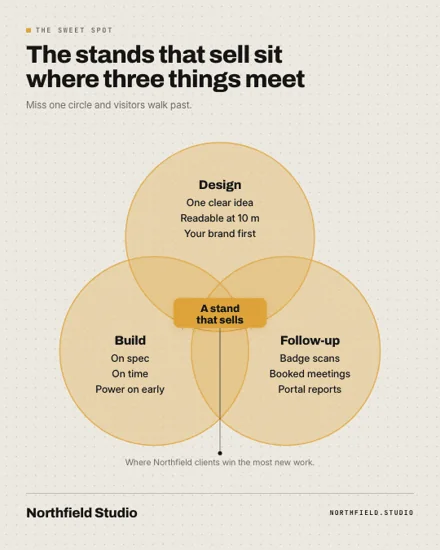 Venn diagram Infographics
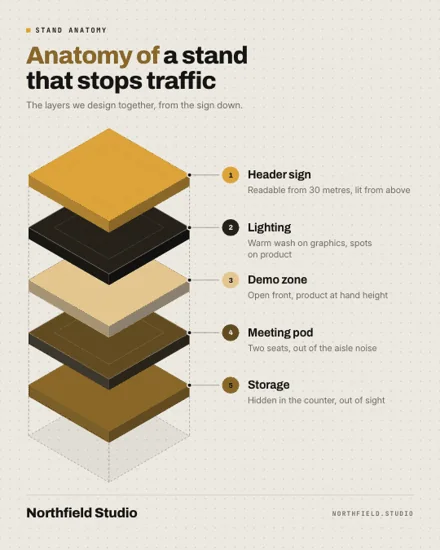 Anatomy of… Infographics
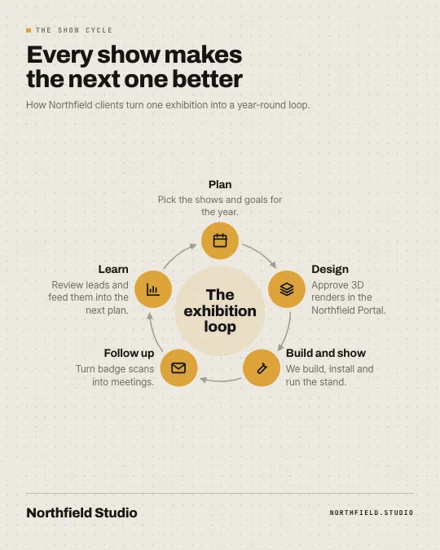 Cycle Infographics
15 families today
- UI mimic
- Internet culture
- Meme
- News & media
- Document & object
- Decoder & explainer
- Data & proof
- Lists & frameworks
- Comparison
- People & story
- Product showcase
- Engagement
- Seasonal & events
- Device mockups
- Infographics
How a post becomes a creative.
- Creative Director
Read the post
It finds the post’s one point and its shape — a list, a contrast, a number, steps — plus the hook, the numbers, the tone and the product it is about.
- Creative Director
Rank the library
Every format that fits your business type is scored for platform and aspect fit, what it needs (real screens, proof, numbers), novelty against your recent creatives and what has worked for you on that platform.
- Creative Director
Pick from a shortlist
From a menu of about two dozen strong options, at most four per family, it picks one with a reason and up to two runners-up.
- Design Lead
Fill it from your facts
Each slot is written from the post and your truth pack, then checked: quotes must be verbatim, and no number or name may appear that your copy or facts don’t contain.
- Render QA
Render and check
The format renders in your colours, fonts and logo. Overflowing text, type below the legibility floor, contrast under 3:1 or a logo lost in its background is caught, then repaired or replaced by the runner-up.
- Vera
Review before it ships
The creative goes to review with its post, and Vera audits copy and creative together.
Your brand, your call.
Auto or a locked format
Let the Creative Director choose, or lock a format for a post; the lock is remembered on that post.
Your real photographs
Use photos from your library as they are. Photo-led businesses — restaurants, hotels, salons, clinics, apparel, real estate — work from their own photos when they exist, not a generated stand-in.
Real screens only
Device mockups show your real website captures and signed-in app screens, and an app screen is never used until an owner or admin approves it.
Feedback and versions
Regenerating keeps the previous version in history, and your note on a version is passed to the next attempt.
Review gate
A creative goes out with its post only after review; agent-written posts need Vera’s pass.
A design team’s judgement, at the speed of a feed.
200+ templates in 15+ families
UI mimics, internet culture, memes, news & media, documents & objects, decoders, data & proof, lists & frameworks, comparisons, people & story, product showcases, engagement, seasonal & events, device mockups and infographics.
Devices, not decoration
A format is a communication device — a system dialog, a boarding pass, a funnel — not a gradient. Each one must render cleanly at every aspect it declares before it joins the library.
Grounded on the canvas
Slot rules per format: verbatim quotes, derived lines whose numbers and names exist in your facts, and short labels that add no names.
Learns per platform
Ranking learns from engagement, Vera’s visual fit and creative reviews per workspace and platform, with room reserved for formats you haven’t tried.
Product on purpose
When too little of the week explains your product, product-explaining formats get a boost.
Always a safe fallback
If the model is unavailable or nothing grounds, a safe format is filled from verbatim excerpts of your copy.
Rendered for every placement.
Each format declares the aspects it supports, and the engine renders the one each placement prefers.
- InstagramBuilt in4:5, 1:1, 9:16
- LinkedInBuilt in4:5, 1:1, 1.91:1
- FacebookBuilt in4:5, 1:1, 1.91:1, 9:16
- XBuilt in16:9, 1:1, 1.91:1
- ThreadsBuilt in4:5, 1:1
- PinterestBuilt in2:3, 4:5
- TikTokBuilt in9:16
- YouTubeBuilt in16:9
- NewsletterBuilt in2:1, 1.91:1
- BlogBuilt in1.91:1, 16:9
- AdsBuilt in1:1, 4:5, 1.91:1, 9:16
- Built in
- Part of MarketiQ; nothing to connect.
How many templates does MarketiQ have?
More than 200 designer templates in 15+ families, from memes and news front pages to infographics and device mockups. Browse them in the template gallery; the library grows as new format packs pass review.
Who chooses the template for a post?
The Creative Director, unless you lock one. It ranks every eligible format for the post’s point, platform and your history, shortlists about two dozen, and picks one with a reason and up to two runners-up.
Can a creative make claims my business can’t back?
It is checked so it can’t add new ones. Every slot is compared with your post and truth pack: quotes must be verbatim, and a number or name that isn’t in your copy or brand facts is rejected, so the Director rewrites the slot or moves to another format.
Does the Creative Studio understand my industry?
Yes. MarketiQ works out your business type: what you sell, from software to food and drink, fashion, beauty, healthcare or retail, and how you sell, to businesses, to consumers or to local customers. It reads the type you set in Brand Brain, your brand records and your website, and asks a classifier only when those leave it unclear. The Creative Director then offers only the formats that fit: a café never gets a changelog, a software company never a menu board.
Can I use screens of my own app?
Yes. An owner or admin lists pages on your product’s domains and accepts a consent notice; the desktop app captures them inside their own session with private areas hidden. Captures wait for review and are never used until approved.
What does the render check look for?
Text that overflows its box or runs off the canvas, type below the legibility floor, text contrast under 3:1, a logo that vanishes into its background or collides with text, and a logo below the minimum size.
See it work on your brand.
Book a demo and we will run MarketiQ on your own website, or choose a plan and start your workspace.