Essentials checklist
An icon checklist of the essentials: each item a tint icon tile with a brand check badge, a bold title and a one-line detail, set in a ruled grid under a header that states the list's promise — calm, complete and easy to save and run through later.
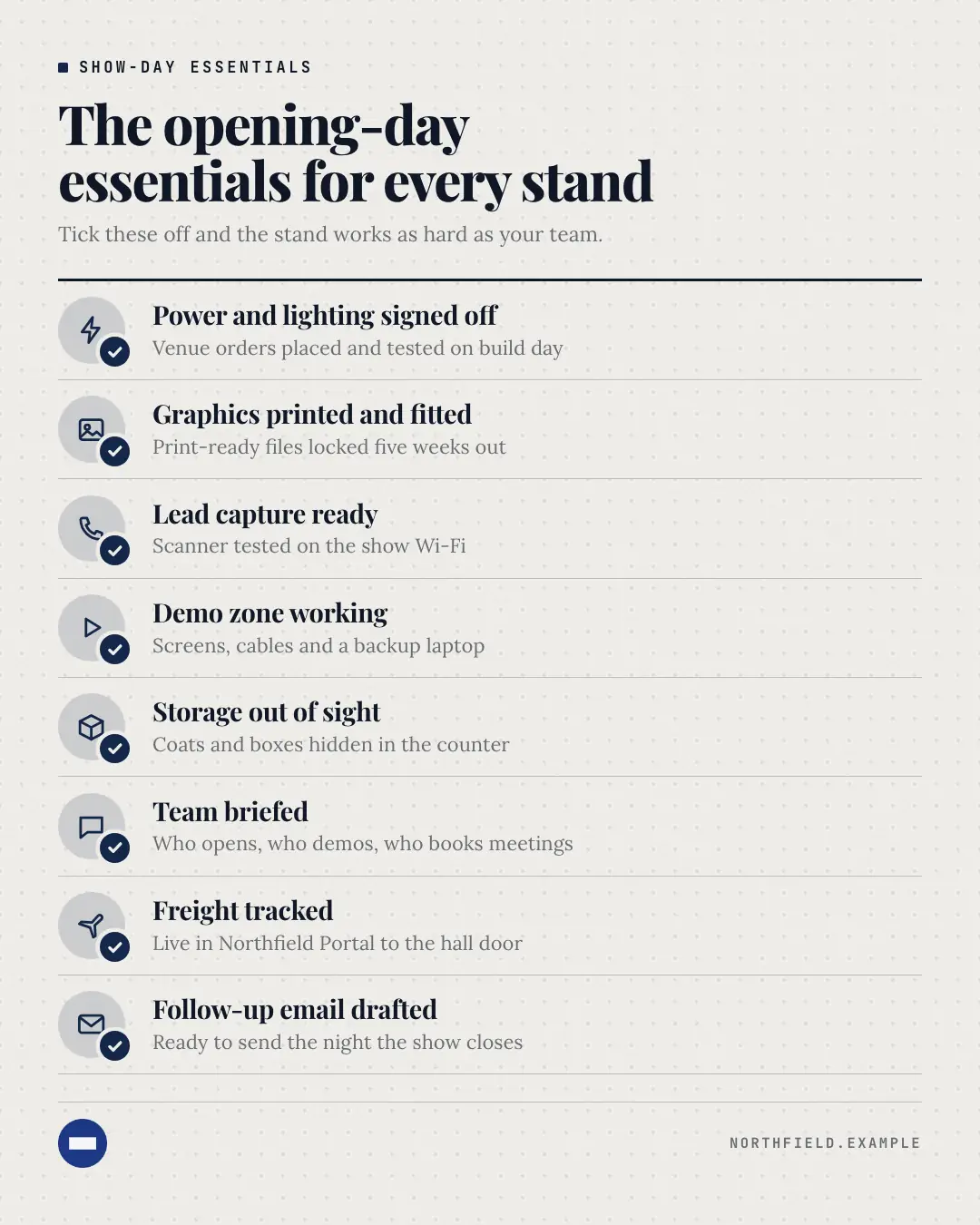
When the AI picks it
MarketiQ’s Creative Director favours the Essentials checklist for posts that teach, start a conversation or get people to act, when the message is a list or steps or a process. It is built first to teach.
It reads each post’s goal and shape first, then its own words, the platform and the facts you have, and offers this template only where it fits.
Who it’s for
Any business. Nothing in it assumes what you sell, so the Director can offer it to a software company, a café or a coaching centre alike — whenever the post fits.
Platforms and sizes
| Size | Where |
|---|---|
| 4:51080 × 1350 px | Instagram, Facebook, LinkedIn, Threads, Pinterest, Reddit |
| 1:11080 × 1080 px | Ads |
| 9:161080 × 1920 px | TikTok |
| 16:91600 × 900 px | X, YouTube |
| 1.91:11200 × 628 px | Newsletter, Blog |
Single image. Each size is laid out for its canvas, not cropped; the sample above is the 4:5 version.
What it needs
Only your post. It is made from your copy and your brand kit — there is nothing else to prepare.
Rules the AI follows
Word for word from the template library. The Director follows the copy rules when it writes into the template, and the visual review checks every creative against the visual rules.
Copy rules
- Every item is a concrete essential the business genuinely recommends — no filler.
- Items are short phrases (under 6 words); the detail line says what 'done' looks like.
- Name an icon for every item or for none; without icons the tiles show the item numbers.
Visual rules
- A ruled grid under a heavy ink rule: tint icon tiles, each with a brand check badge knocked out of the paper.
- Two columns on square and landscape (and long lists on 4:5), one column on stories and short lists.
More Infographics templates
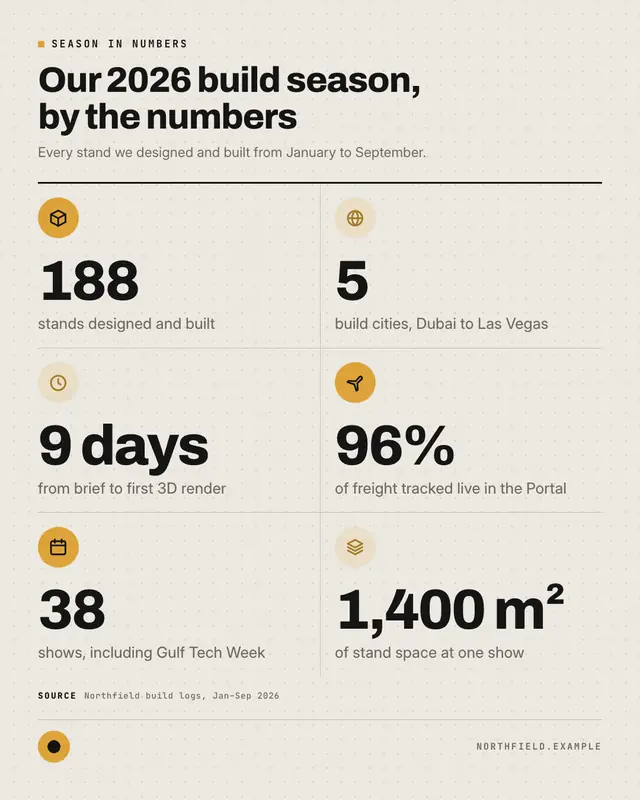
Stat grid
An icon-led grid of three to six equal stat tiles
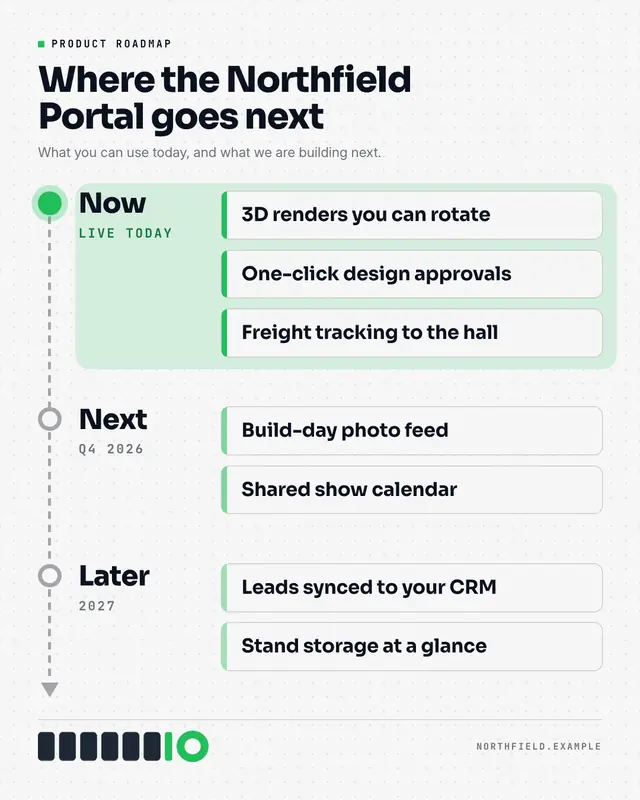
Now / next / later roadmap
A product roadmap board: three or four phases from the copy (Now / Next / Later or quarters) on a time axis with an arrowhead, each holding one to three item cards with…
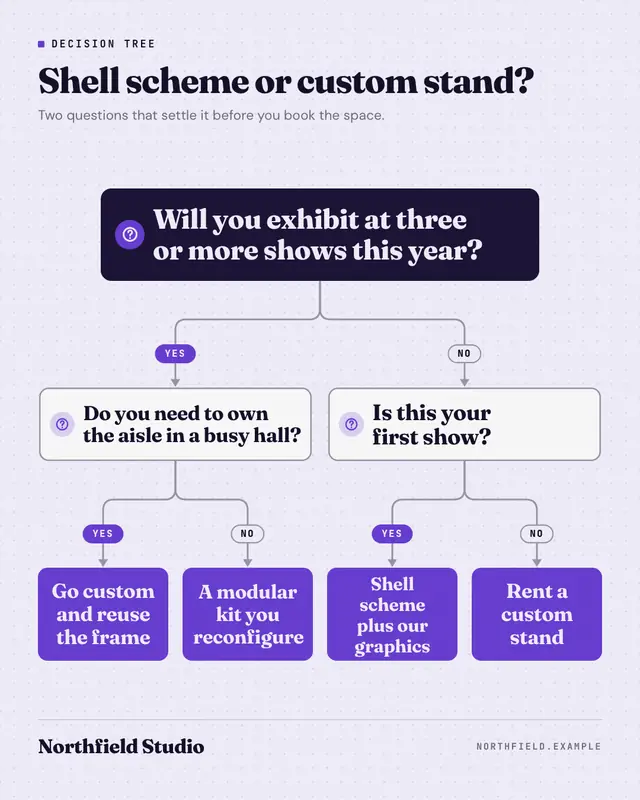
Decision tree
A clean top-down decision tree: a root question on a night card, rounded orthogonal connectors with arrowheads and yes/no pill labels, optional follow-up questions on…
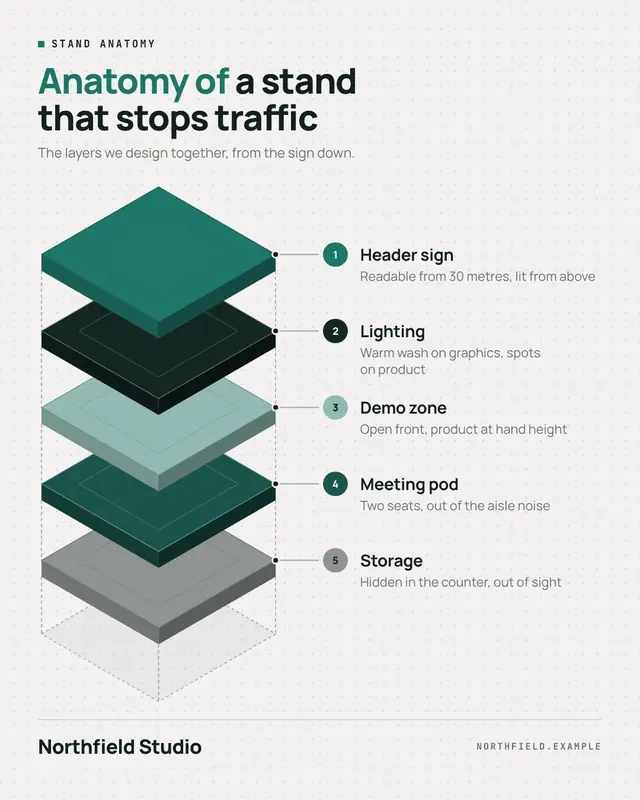
Anatomy of…
An isometric exploded view: three to six layered plates with real thickness in palette colours, floating over a dashed footprint with alignment guides, each called out…
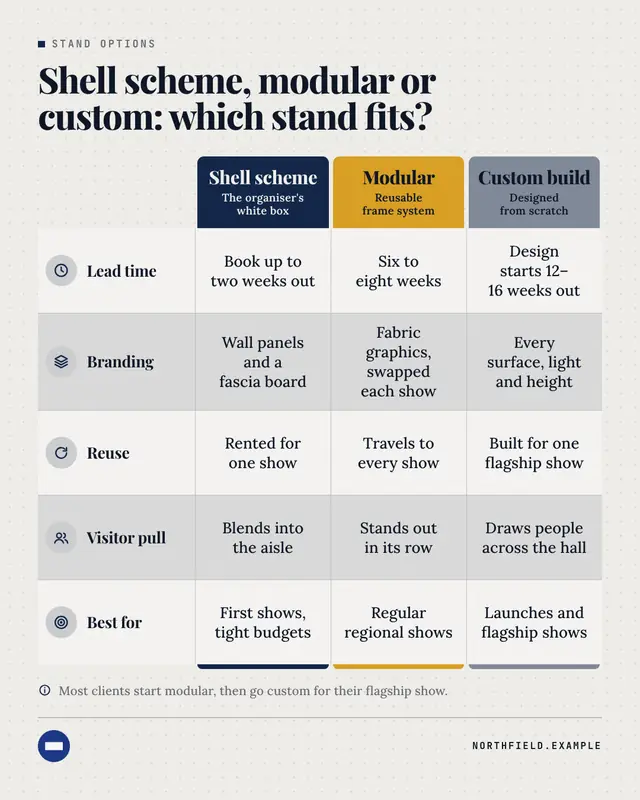
Comparison matrix
A premium comparison table: each option heads its column as a solid block in its own palette colour, criteria run down the left with tinted icons, and short phrases fill…
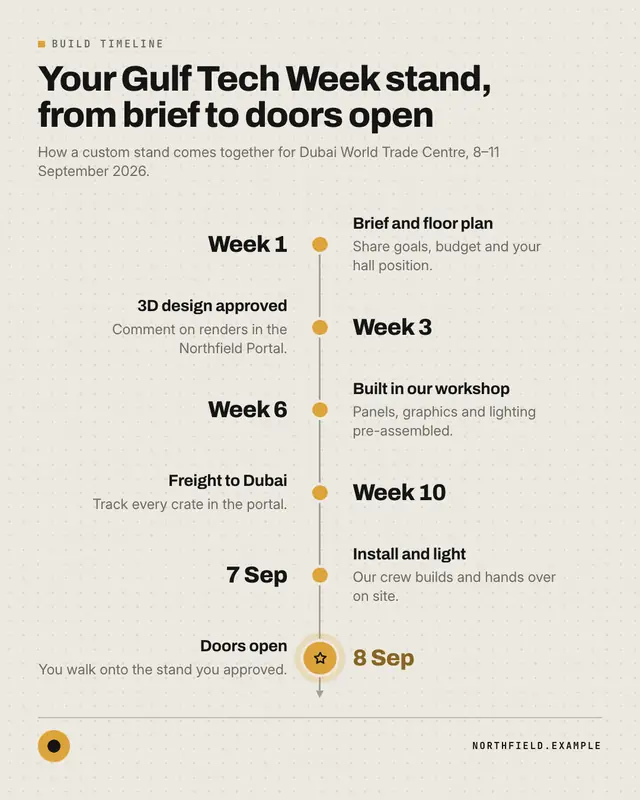
Timeline
A clean milestone timeline
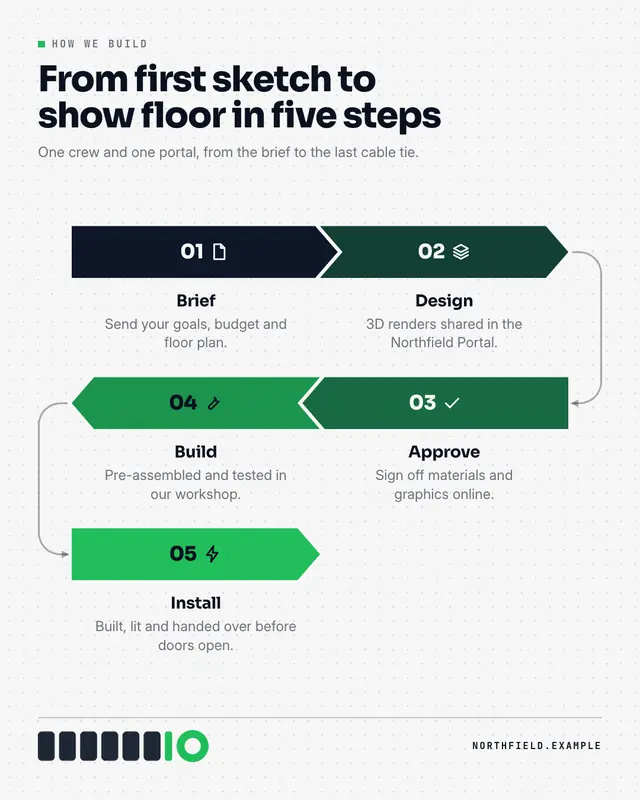
Process flow
A pipeline of interlocking chevrons
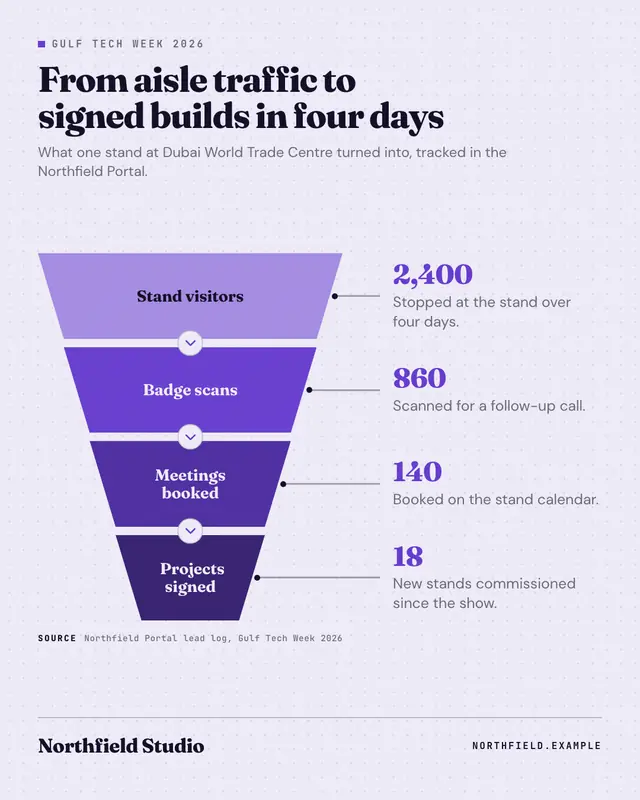
Funnel
A stacked funnel of three to five trapezoids narrowing downward and deepening in colour
Make a Essentials checklist with your brand.
MarketiQ writes the post, picks the template that carries it best — this one, when it fits — and fills it with your logo, colours, facts and copy.